About
The height is noise; contours are the places where fract(height * levels) is half, found with the screen-space derivative of the same value, so the line is a constant number of pixels wide at any resolution. Every fifth level is an index line, thicker and in its own colour. The slope of the field, from the derivatives, shades the hills from one side. The pointer adds a Gaussian hill.
Use it when
- A property, surveying, civil, mapping, outdoor or trail business wants its trade in the hero.
- A software or data product wants a technical, quiet texture.
- An adviser wants a map-like calm.
Skip it when
- The page already has lines, grids or tables behind the text.
- The brand is soft and decorative.
Install
- 1Add the VibeBox registry to
components.json:{ "registries": { "@vibebox": "https://motion.vibeboxph.com/r/{name}.json" } } - 2Add the component with the shadcn CLI:
npx shadcn@latest add @vibebox/contour-lines - 3Use it:
import { ContourLines } from "@/components/vibebox/contour-lines";

<ContourLines preset="charcoal" className="min-h-[560px] rounded-xl">
  <div className="p-12 text-white">
    <h1 className="text-4xl font-semibold">Know the land before you build.</h1>
  </div>
</ContourLines>
Code
3 filescomponents/vibebox/contour-lines/contour-lines.client.tsx
/**
 * VibeBox Motion · Contour Lines
 * Copyright (c) 2026 VibeBox. Licensed under the VibeBox Motion Free License:
 * https://motion.vibeboxph.com/license
 * Use it in unlimited personal, commercial and client projects.
 * Do not sell or redistribute it as a component, kit, template or builder.
 */
"use client";

import type { ReactNode } from "react";
import { BackdropCanvas, type PosterSpec } from "@/lib/vibebox/backdrop-canvas";
import { contourLinesPiece, presets, type ContourLinesPreset } from "./contour-lines.shader";

export type ContourLinesColor = "paper" | "line" | "index" | "tint";
export type ContourLinesValue = "levels" | "scaleC" | "width" | "shade";

export type ContourLinesProps = {
  /** What sits on the scene: a heading, a call to action, a whole section. */
  children?: ReactNode;
  /** A named look: `charcoal`, `blueprint`, `sand`, `steel`, `forest`. */
  preset?: ContourLinesPreset;
  /** Overrides single palette colours with any CSS colour. */
  colors?: Partial<Record<ContourLinesColor, string>>;
  /** Multiplies the preset's speed (1 keeps it, 0 holds the scene still). */
  speed?: number;
  /** Multiplies the preset's brightness. */
  intensity?: number;
  /** The pointer and touch move the scene. */
  interactive?: boolean;
  /** Accessible name; leave it out when the scene is only a background. */
  label?: string;
  /** Hold one still frame until this is false (for a gallery card). */
  still?: boolean;
  className?: string;
} & Partial<Record<ContourLinesValue, number>>;

const POSTER: PosterSpec = { type: "linear", from: "paper", to: "tint", angle: 135 };

export function ContourLines({ children, preset, colors, speed, intensity, interactive = true, label, still, className, levels, scaleC, width, shade }: ContourLinesProps) {
  return (
    <BackdropCanvas
      slug="contour-lines"
      piece={contourLinesPiece}
      presets={presets}
      fallback="charcoal"
      preset={preset}
      colors={colors}
      values={{ levels, scaleC, width, shade }}
      speed={speed}
      intensity={intensity}
      poster={POSTER}
      scale={0.5}
      stillTime={3}
      still={still}
      interactive={interactive}
      label={label}
      className={className}
    >
      {children}
    </BackdropCanvas>
  );
}
components/vibebox/contour-lines/contour-lines.shader.ts
/**
 * VibeBox Motion · Contour Lines
 * Copyright (c) 2026 VibeBox. Licensed under the VibeBox Motion Free License:
 * https://motion.vibeboxph.com/license
 * Use it in unlimited personal, commercial and client projects.
 * Do not sell or redistribute it as a component, kit, template or builder.
 */
import { compose, createScenePiece, type ScenePreset } from "@/lib/vibebox/engine/backdrops";

/*
 * A survey map: a slowly shifting height field drawn as contour lines, every fifth one heavier,
 * over soft hill shading. The line width is measured in pixels with screen-space derivatives, so
 * it stays crisp at any size. The pointer raises a small hill under it.
 */

const SCENE = /* glsl */ `
uniform vec3 uPaper;
uniform vec3 uLine;
uniform vec3 uIndex;
uniform vec3 uTint;
uniform float uLevels;
uniform float uScaleC;
uniform float uWidth;
uniform float uShade;
uniform float uSpeed;
uniform float uIntensity;

float T;
vec2 pointerP;

float heightAt(vec2 p) {
  float h = fbm(p * uScaleC + vec2(T * 0.02, -T * 0.015));
  h = h * 0.85 + 0.15 * vnoise(p * uScaleC * 0.4 + 7.0);
  float d = length(p - pointerP);
  h += uHover * 0.22 * exp(-d * d * 5.0);
  return h;
}

void main() {
  vec2 uv = centred(gl_FragCoord.xy);
  T = uTime * uSpeed;
  float aspect = uResolution.x / uResolution.y;
  pointerP = vec2((uPointer.x - 0.5) * aspect, uPointer.y - 0.5);
  float h = heightAt(uv);
  float f = h * uLevels;

  // Distance to the nearest contour, in pixels.
  float w = max(fwidth(f), 1e-4);
  float dist = abs(fract(f - 0.5) - 0.5) / w;
  float line = 1.0 - smoothstep(uWidth * 0.5, uWidth * 0.5 + 1.0, dist);
  // Every fifth contour is an index line.
  float idx = mod(floor(f + 0.5), 5.0) < 0.5 ? 1.0 : 0.0;
  float indexLine = (1.0 - smoothstep(uWidth * 0.9, uWidth * 0.9 + 1.0, dist)) * idx;

  // Hill shading from the slope.
  vec2 g = vec2(dFdx(h), dFdy(h)) * uResolution.y * 0.35;
  float shade = clamp(0.5 + dot(g, normalize(vec2(-0.6, 0.8))) * 2.0, 0.0, 1.0);

  vec3 col = lin(uPaper);
  col = mix(col, lin(uTint), smoothstep(0.35, 0.8, h) * 0.55);
  col *= mix(1.0, 0.72 + 0.5 * shade, uShade);
  col = mix(col, lin(uLine), clamp(line, 0.0, 1.0) * 0.75);
  col = mix(col, lin(uIndex), clamp(indexLine, 0.0, 1.0));

  col *= uIntensity;
  col *= 1.0 - 0.18 * smoothstep(0.6, 1.2, length(uv * vec2(0.85, 1.1)));
  fragColor = vec4(finish(col, gl_FragCoord.xy), 1.0);
}
`;

export const fragment = compose(SCENE);

export const PRESET_NAMES = ["charcoal", "blueprint", "sand", "steel", "forest"] as const;
export type ContourLinesPreset = (typeof PRESET_NAMES)[number];

export const presets: Record<ContourLinesPreset, ScenePreset> = {
  charcoal: {
    colors: { paper: "#0b0d12", line: "#5d6578", index: "#cfd6e6", tint: "#1b2236" },
    values: { levels: 22, scaleC: 1.6, width: 1.1, shade: 0.5, speed: 0.6, intensity: 1 },
  },
  blueprint: {
    colors: { paper: "#0f3a8a", line: "#6fa3ff", index: "#ffffff", tint: "#1450c0" },
    values: { levels: 26, scaleC: 1.5, width: 1.1, shade: 0.35, speed: 0.5, intensity: 1 },
  },
  sand: {
    colors: { paper: "#f1e6cf", line: "#b89868", index: "#7a5a2c", tint: "#e0cca4" },
    values: { levels: 20, scaleC: 1.5, width: 1.2, shade: 0.7, speed: 0.4, intensity: 1 },
  },
  steel: {
    colors: { paper: "#c9d1da", line: "#7c8794", index: "#2a323d", tint: "#aeb9c5" },
    values: { levels: 24, scaleC: 1.7, width: 1.1, shade: 0.6, speed: 0.5, intensity: 1 },
  },
  forest: {
    colors: { paper: "#0c1f17", line: "#2f6b4d", index: "#9fe0b8", tint: "#123826" },
    values: { levels: 22, scaleC: 1.6, width: 1.1, shade: 0.5, speed: 0.55, intensity: 1 },
  },
};

export const contourLinesPiece = createScenePiece("contour-lines", fragment);
components/vibebox/contour-lines/index.tsx
/**
 * VibeBox Motion · Contour Lines
 * Copyright (c) 2026 VibeBox. Licensed under the VibeBox Motion Free License:
 * https://motion.vibeboxph.com/license
 * Use it in unlimited personal, commercial and client projects.
 * Do not sell or redistribute it as a component, kit, template or builder.
 */
export { ContourLines, type ContourLinesProps, type ContourLinesColor, type ContourLinesValue } from "./contour-lines.client";
export { PRESET_NAMES as CONTOUR_LINES_PRESETS, presets as contourLinesPresets, type ContourLinesPreset } from "./contour-lines.shader";
Props
| Prop | Type | Default | Description |
|---|---|---|---|
| children | ReactNode | — | What sits on the scene: a heading, a call to action, a whole section. |
| preset | "charcoal" | "blueprint" | "sand" | "steel" | "forest" | "charcoal" | The look: charcoal, blueprint, sand, steel, forest. |
| colors | { paper?: string; line?: string; index?: string; tint?: string } | — | Overrides single palette colours with any CSS colour: paper (the map's paper), line (the contour lines), index (the heavier index lines), tint (the high ground). |
| speed | number | 1 | Multiplies the preset's speed; 0 holds the scene still. |
| intensity | number | 1 | Multiplies the preset's brightness, 0.5 to 1.4. |
| levels | number | 22 | How many contour intervals (8 to 40; each look sets its own). |
| scaleC | number | 1.6 | How large the landforms are (larger is finer) (0.8 to 3; each look sets its own). |
| width | number | 1.1 | The line width in pixels (0.6 to 2.4; each look sets its own). |
| shade | number | 0.5 | How strong the hill shading is (0 to 1; each look sets its own). |
| interactive | boolean | true | The pointer raises a small hill under it. |
| label | string | — | Accessible name; leave it out when the scene is only a background. |
| still | boolean | false | Hold one composed frame until false (a gallery card that plays on hover). |
| className | string | — | Merged with cn(); give it a size and a radius. |
Accessibility and motion
- Keyboard
- Not focusable; content on it keeps its own focus order.
- Screen readers
- Decorative by default; with
labelit is an image with that name. - Touch
- A finger moves the scene like the cursor does; scrolling is never blocked.
- Reduced motion
- One still frame of the map; the terrain does not shift.
Edge cases and limits
- Index lines are the strongest detail: keep text off the thick ones when it can move.
- Blueprint is saturated: use white text.
- Very high
levelson a phone becomes a texture; keep it under 28.
Related
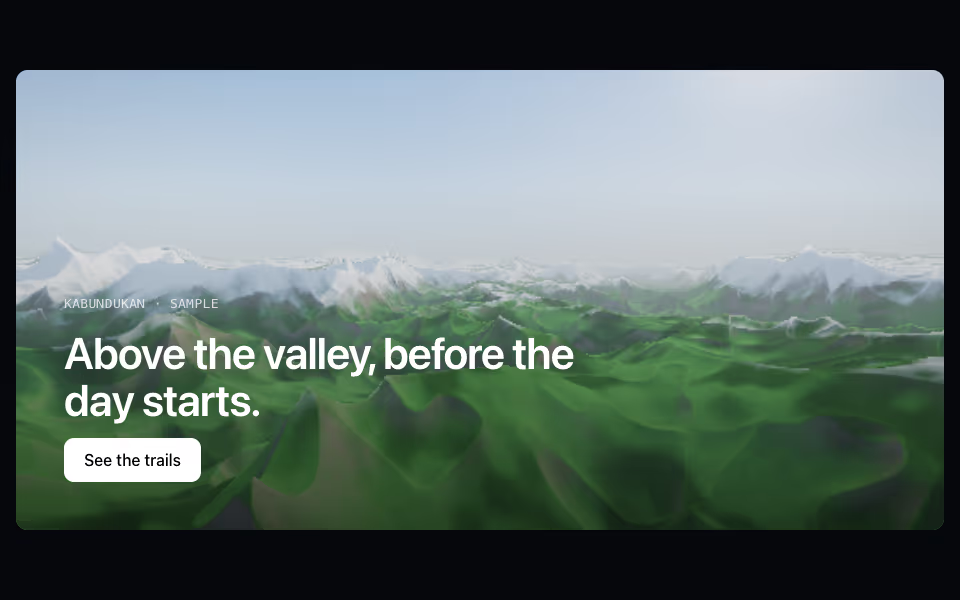
Terrain
FreeA flight over land: mountains, dunes, islands, ice or lava, with fog, a sun and a camera that leans to the pointer.
Backgrounds · WebGL2
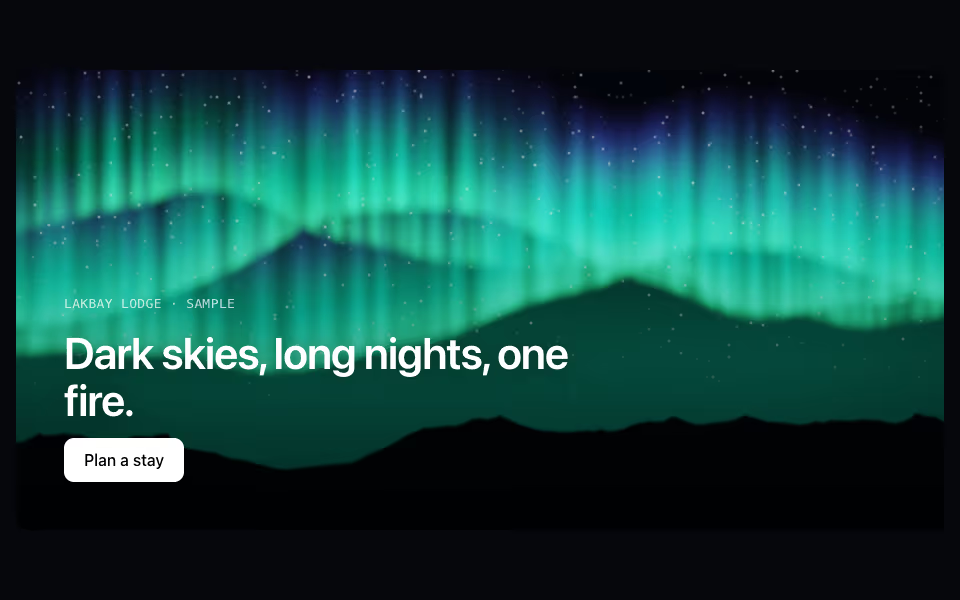
Aurora
FreeCurtains of northern light over a night sky and a mountain ridge, drawn toward the pointer.
Backgrounds · WebGL2
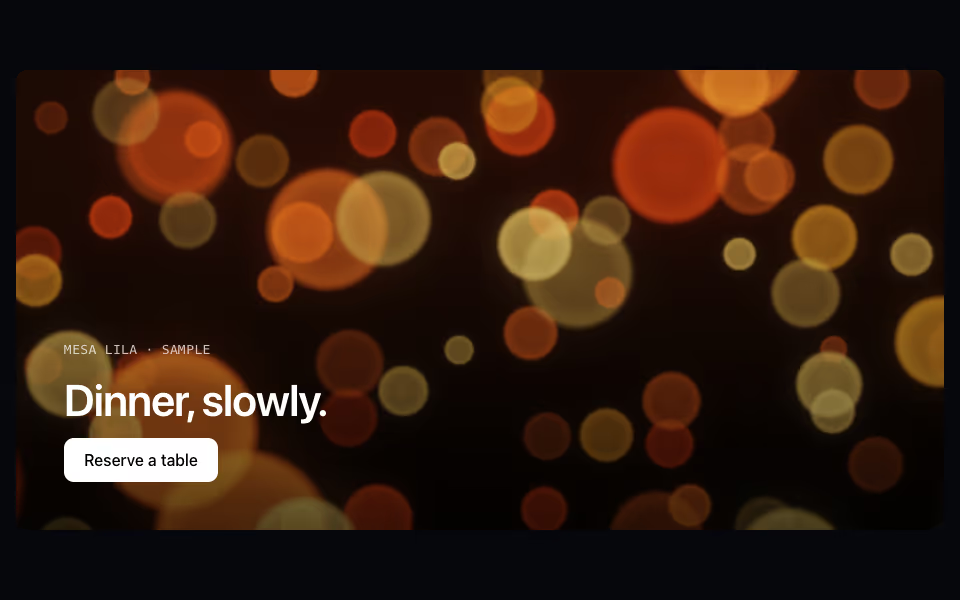
Bokeh
FreeOut-of-focus lights in three depths, brighter at the rim and drifting with the pointer.
Backgrounds · WebGL2