Browser Frame
A browser window that frames a site and pans through the full page on hover, on focus, or on a slow loop.
npx shadcn@latest add @vibebox/browser-frameControls
<BrowserFrame />About
The frame for showing a website: portfolio entries, case studies, "see the live site" moments and Launchpad previews. A quiet window with three dots and an address bar holds any content, usually a full-page screenshot. With scroll="hover" the window glides from the top of the page to the bottom while a mouse rests on it or keyboard focus is inside; with scroll="auto" it drifts up and down on its own, for heroes. The pan is pure CSS: the window is a size container, so the distance is 100cqh - 100% of the content height, with no JavaScript measuring. Ported from the VibeBox site's work frames, which needed a measuring hook for the same effect.
Use it when
- Showing a website you built, a template, or a live preview.
- A case study needs the full page to be reachable, not just the top.
Skip it when
- The content is an app UI that is not a web page; use a plain card.
- The screenshot is short (shorter than the window); scrolling does nothing, so use
scroll="none".
Install
- 1Add the VibeBox registry to
components.json:{ "registries": { "@vibebox": "https://motion.vibeboxph.com/r/{name}.json" } } - 2Add the component with the shadcn CLI:
npx shadcn@latest add @vibebox/browser-frame - 3Use it:
import Image from "next/image";
import { BrowserFrame } from "@/components/vibebox/browser-frame";

<BrowserFrame url="northline-dental.ph" scroll="hover" className="w-full max-w-4xl">
  <Image src="/work/northline-full.webp" alt="Northline Dental home page" width={1440} height={6200} />
</BrowserFrame>
Code
1 filescomponents/vibebox/browser-frame/index.tsx
/**
 * VibeBox Motion · Browser Frame
 * Copyright (c) 2026 VibeBox. Licensed under the VibeBox Motion Free License:
 * https://motion.vibeboxph.com/license
 * Use it in unlimited personal, commercial and client projects.
 * Do not sell or redistribute it as a component, kit, template or builder.
 */
import type { CSSProperties, ReactNode } from "react";
import { cn } from "@/lib/utils";

/* A browser window to hang work in. The content window can pan tall content on hover or focus,
   or drift through it on a loop, with CSS alone: the window is a size container, so the pan
   distance is calc(100cqh - 100%) of the content's own height. Touch screens and reduced motion
   get a natively scrollable window instead, so the whole page is always reachable. */

const CSS = `
[data-vb-bf-window] { container-type: size; }
[data-vb-bf-track] { transform: translate3d(0, 0, 0); }
@media (hover: hover) and (prefers-reduced-motion: no-preference) {
  [data-vb-bf-window][data-scroll="hover"] [data-vb-bf-track] { transition: transform 1.1s var(--ease-expo-out, cubic-bezier(0.16, 1, 0.3, 1)); }
  [data-vb-bf-window][data-scroll="hover"]:hover [data-vb-bf-track],
  [data-vb-bf-window][data-scroll="hover"]:focus-within [data-vb-bf-track] {
    transform: translate3d(0, min(0px, calc(100cqh - 100%)), 0);
    transition: transform var(--vb-bf-duration, 8s) var(--ease-expo-in-out, cubic-bezier(0.65, 0, 0.35, 1));
  }
}
@keyframes vb-bf-pan { 0%, 8% { transform: translate3d(0, 0, 0); } 92%, 100% { transform: translate3d(0, min(0px, calc(100cqh - 100%)), 0); } }
@media (prefers-reduced-motion: no-preference) {
  [data-vb-bf-window][data-scroll="auto"] [data-vb-bf-track] { animation: vb-bf-pan var(--vb-bf-duration, 18s) var(--ease-expo-in-out, cubic-bezier(0.65, 0, 0.35, 1)) infinite alternate; }
}
@media (hover: none), (prefers-reduced-motion: reduce) {
  [data-vb-bf-window][data-scroll="hover"], [data-vb-bf-window][data-scroll="auto"] { overflow-y: auto; overscroll-behavior: contain; }
  [data-vb-bf-window][data-scroll] [data-vb-bf-track] { transform: none; animation: none; }
}
`;

export type BrowserFrameProps = {
  /** Shown in the address bar. */
  url: string;
  /** What the window shows: usually a full-page screenshot (an img or next/image). */
  children: ReactNode;
  /** "auto" follows the page's tokens; "light" or "dark" forces that look. */
  tone?: "auto" | "light" | "dark";
  /** Pan tall content: on hover and keyboard focus, on a slow loop, or not at all. */
  scroll?: "none" | "hover" | "auto";
  /** Seconds for one pan from top to bottom. */
  scrollSeconds?: number;
  /** Aspect ratio of the content window, e.g. "16 / 10". */
  ratio?: string;
  className?: string;
};

function Lock() {
  return (
    <svg width="9" height="10" viewBox="0 0 9 10" fill="none" aria-hidden="true" className="shrink-0">
      <rect x="0.75" y="4.25" width="7.5" height="5" rx="1.2" stroke="currentColor" strokeWidth="1.1" />
      <path d="M2.4 4.2V3a2.1 2.1 0 1 1 4.2 0v1.2" stroke="currentColor" strokeWidth="1.1" />
    </svg>
  );
}

export function BrowserFrame({ url, children, tone = "auto", scroll = "none", scrollSeconds, ratio = "16 / 10", className }: BrowserFrameProps) {
  const pans = scroll !== "none";
  return (
    <figure
      data-vb="browser-frame"
      className={cn(
        "relative m-0 overflow-hidden rounded-xl border border-border-strong bg-card text-card-foreground",
        "shadow-[inset_0_1px_0_color-mix(in_oklab,var(--foreground)_6%,transparent),0_40px_90px_-30px_rgba(0,0,0,0.65)]",
        tone === "dark" && "dark",
        tone === "light" && "light",
        className,
      )}
    >
      {pans && (
        <style href="vb-browser-frame" precedence="vb">
          {CSS}
        </style>
      )}
      <div aria-hidden="true" className="grid h-9 grid-cols-[60px_1fr_60px] items-center border-b border-border bg-muted px-3">
        <span className="flex gap-1.5">
          <span className="size-2 rounded-full bg-foreground/20" />
          <span className="size-2 rounded-full bg-foreground/20" />
          <span className="size-2 rounded-full bg-foreground/20" />
        </span>
        <span className="inline-flex h-[22px] max-w-full items-center gap-1.5 justify-self-center overflow-hidden rounded-md bg-foreground/5 px-3 font-mono text-[11px] text-ellipsis whitespace-nowrap text-muted-foreground">
          <Lock />
          {url}
        </span>
        <span />
      </div>
      <div
        data-vb-bf-window=""
        data-scroll={scroll}
        tabIndex={scroll === "hover" ? 0 : undefined}
        className="relative overflow-hidden bg-background focus-visible:outline-2 focus-visible:-outline-offset-2 focus-visible:outline-ring"
        style={{ aspectRatio: ratio, ...(scrollSeconds ? ({ "--vb-bf-duration": `${scrollSeconds}s` } as CSSProperties) : null) }}
      >
        <div data-vb-bf-track="" className="[&_img]:block [&_img]:h-auto [&_img]:w-full">
          {children}
        </div>
      </div>
    </figure>
  );
}
Props
| Prop | Type | Default | Description |
|---|---|---|---|
| url * | string | — | Shown in the address bar. |
| children * | ReactNode | — | What the window shows, usually a full-page screenshot. |
| tone | "auto" | "light" | "dark" | "auto" | Follow the page's tokens or force a look. |
| scroll | "none" | "hover" | "auto" | "none" | Pan tall content on hover and focus, on a slow loop, or not at all. |
| scrollSeconds | number | — | Seconds for one pan from top to bottom (8 on hover, 18 on a loop). |
| ratio | string | "16 / 10" | Aspect ratio of the content window. |
| className | string | — | Merged with cn(). |
Accessibility and motion
- Keyboard
- With scroll="hover" the window takes focus (Tab) and pans while focused; links inside stay in the tab order.
- Screen readers
- A figure; the address bar is decorative. Give the content its own alt text.
- Touch
- On touch screens the window scrolls with a swipe instead of panning on hover.
- Reduced motion
- A still window at the top of the page; the window scrolls natively.
Edge cases and limits
- Content shorter than the window never pans (
min(0px, …)). - Very tall pages pan faster than they can be read; raise
scrollSeconds. - Browsers without container query units (before 2023) show the top of the page only.
Related
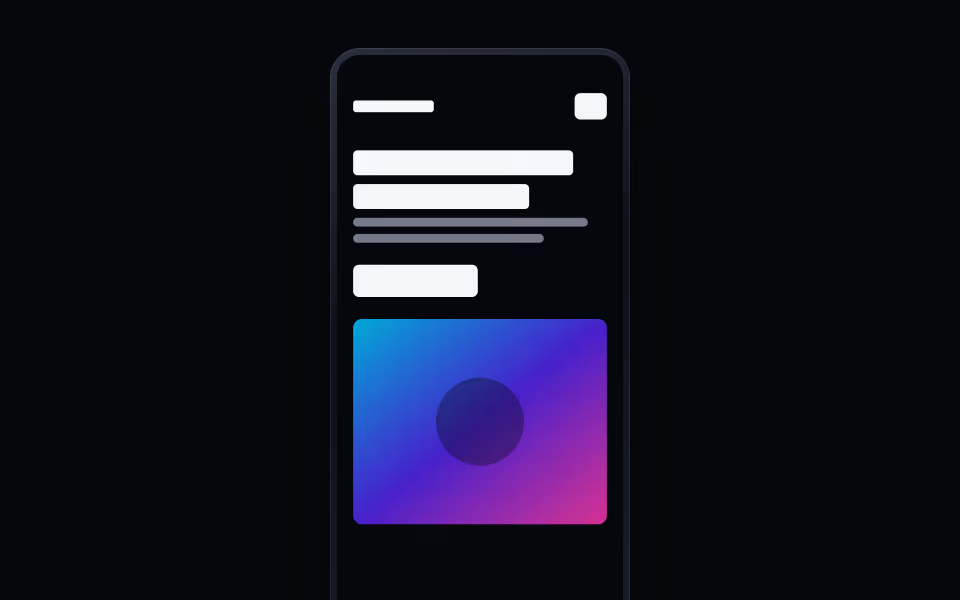
Phone Frame
FreeA phone that shows a mobile layout, scrolls through the full page, and tilts toward the cursor.
Devices · Motion