Chat Thread Testimonials
Customers' real words as the messages they sent: chat bubbles in a thread, or a wall of them.
Controls
<TestimonialsChatThread />About
Replaces the catalogue's reply-cards testimonial idea with an honest chat thread. In Standard's proposed curated Pro set (instead of the reply-cards block).
Use it when
- Quotes came from messages (Messenger, Viber, WhatsApp).
Skip it when
- Formal testimonials with titles: use
testimonials-honest.
Install
The demo above is live today. Installing Pro items opens with VibeBox Motion Pro; join the waitlist to hear first.
Code
The source is part of VibeBox Motion Pro.
Licensed per seat; it installs with the same shadcn command once Pro opens.
See Pro and join the waitlistContent
Typed slots from schema.ts. Facts (hours, prices, quotes, names) come only from the business; until then they render as fill-ins.
| Slot | Label | Type | Limit | Fact |
|---|---|---|---|---|
| eyebrow | Kicker | text | 32 chars | — |
| heading | Heading | text | 60 chars | — |
| lead | Intro | text | 160 chars | — |
| items | Quotes | list | up to 6 | — |
| items[].quote | Quote | fact | 280 chars | Yes, a fill-in until given |
| items[].name | Name | fact | 48 chars | Yes, a fill-in until given |
| items[].detail | Detail | text | 48 chars | Can be a fill-in |
Variants
Threaddefault
thread
Alternating bubbles in a card beside the heading.
Wall
wall
Bubbles in masonry columns.
Accessibility and motion
- Keyboard
- Nothing to focus.
- Screen readers
- Each message is a figure with a blockquote and the person's name.
- Touch
- Nothing to touch.
- Reduced motion
- Bubbles appear without their reveal.
Edge cases and limits
- 280-character quotes make long bubbles; the 85% width keeps them readable.
Related
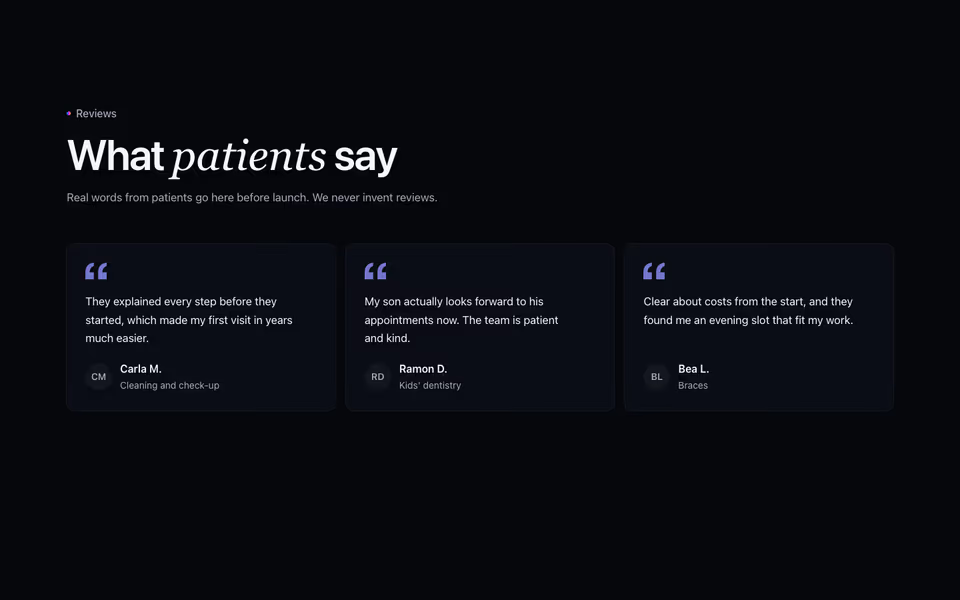
Real quotes only, as cards, a featured quote or a spotlight; designed fill-ins until the client sends them.
Testimonials block · Server
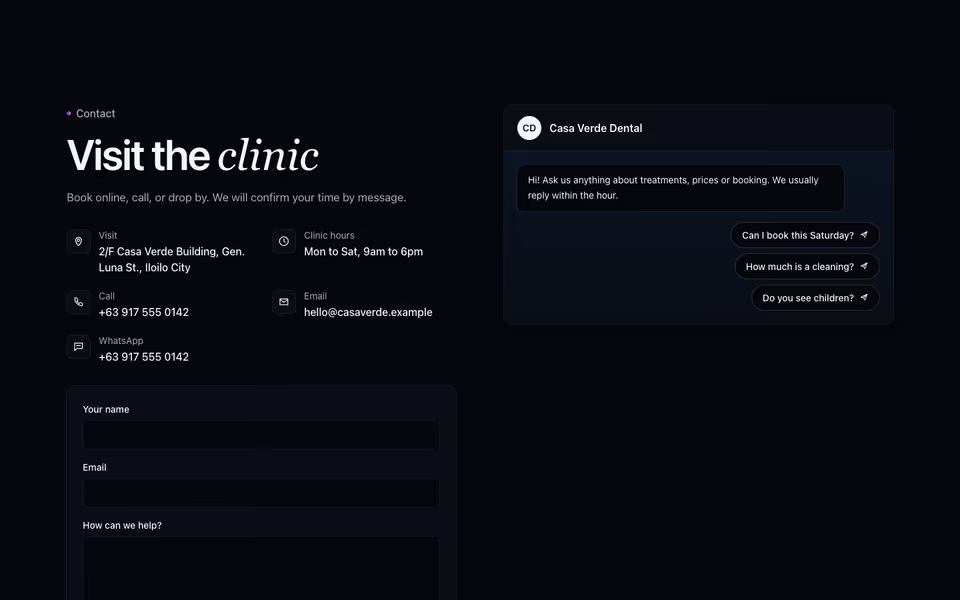
Contact as a conversation: a chat panel whose quick questions open the business's chat app, prefilled.
Contact block · Server
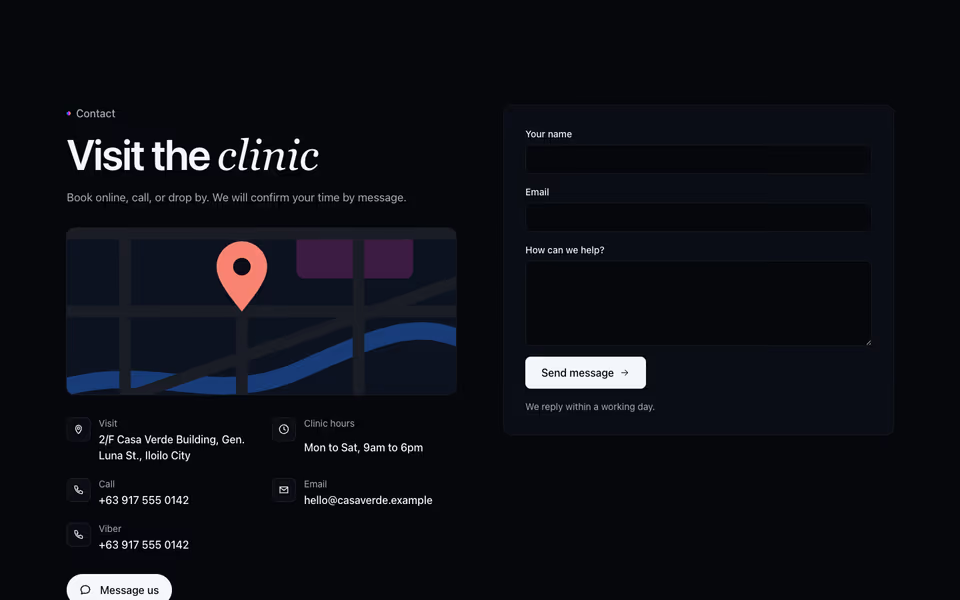
The split contact section with a Contact Bloom button that opens the phone and chat apps the business uses.
Contact block · Server