About
The one phone to show a mobile site or app: seven handsets drawn in CSS from real point sizes (screen, bezel, rim, corner radius, island or notch, buttons), each in its finishes, with a back view that shows its camera plate. Put any picture on the screen. The iPhone Duo (unveiled 9 September 2026) is drawn open as a book with its hinge, or closed as its 5.4 inch cover display.
Use it when
- Showing a mobile layout, screenshot or live page on a handset.
- Product pages, case studies and app landing pages.
Skip it when
- Long scroll captures: use Phone Frame, which pans tall content.
- Showing the Duo with the finishes of other models: it comes in Star White and Night Sky.
Install
- 1Add the VibeBox registry to
components.json:{ "registries": { "@vibebox": "https://motion.vibeboxph.com/r/{name}.json" } } - 2Add the component with the shadcn CLI:
npx shadcn@latest add @vibebox/phone
AI prompt
Everything an AI coding tool needs to rebuild this component the way it looks here: colours, fonts, the art it draws, props and rules.
Read the prompt
Build the VibeBox Motion component "Phone" (Devices) in a Next.js App Router project with Tailwind CSS v4.

What it is
- One phone that becomes any iPhone model, finish and side, with your picture on its screen.
- A drawn handset (not an image) that switches between iPhone 17 Pro Max, 17 Pro, 17, Air, 16e, SE and the iPhone Duo (open or closed); takes a finish, any picture or live content on the screen, flips to the back and leans toward the pointer.

Install
- `npx shadcn@latest add @vibebox/phone`
- Registry: add `"@vibebox": "https://motion.vibeboxph.com/r/{name}.json"` to components.json, then run the command. The source lands in `components/vibebox/phone` and is yours to edit.

Visual spec
- Colours (the VibeBox spectrum, the same in light and dark):
    - --spectrum-1: #00c5fc (cyan)
    - --spectrum-2: #1d6ef0 (blue)
    - --spectrum-3: #5225ed (indigo)
    - --spectrum-4: #e434dc (magenta)
    - --spectrum-5: #fd3aa9 (pink)
    - --spectrum-6: #f98472 (coral)
    - --spectrum-7: #fcbe72 (amber)
- Ink surface (dark): background #05070c, card #0a0d15, text #f5f6fa, muted text #a3abbd, border rgba(255,255,255,0.08).
- Paper surface (light): background #f3f0ea, card #fbfaf7, text #0c0e14, muted text #4a4f5c, border rgba(12,14,20,0.12).
- Fonts:
    - Display and body: Figtree (400, 500, 600, 700), falling back to ui-sans-serif, system-ui.
    - Emphasis: Fraunces italic, for one or two words of a heading.
    - Labels and code: JetBrains Mono (400, 500), uppercase labels with 0.14em tracking.
- Shape: radius 8 to 12px on cards and panels; pills may be fully round. Hairline borders, soft glow instead of heavy shadow.
- Motion: animate transform and opacity only; fast ease-out (cubic-bezier(0.16, 1, 0.3, 1)), 140ms for micro-interactions, 320 to 520ms for reveals.

Art and media
- Built from HTML, CSS and inline SVG only; no image files or video.

Props
- `model`: `"iphone-17-pro-max" | "iphone-17-pro" | "iphone-17" | "iphone-air" | "iphone-16e" | "iphone-se" | "iphone-duo"` (default "iphone-17-pro"). The handset to draw.
- `finish`: `string` (default first of the model). A finish id for that model: cosmic-orange, deep-blue, silver, lavender, sage, mist-blue, black, sky-blue, cloud-white, space-black, white, midnight, starlight, product-red, star-white, night-sky.
- `fold`: `"open" | "closed"` (default "open"). The iPhone Duo only: open shows the 7.6 inch inner display and hinge, closed the 5.4 inch cover display.
- `image`: `string`. A picture for the screen, drawn to cover it.
- `imageAlt`: `string`. Alt text for the picture.
- `children`: `ReactNode`. Anything else for the screen, such as a live page; used when there is no image.
- `view`: `"front" | "back"`. Controls the side; the Front / Back switch shows when it is left out.
- `tilt`: `boolean` (default true). Lean toward the pointer (mouse and pen).
- `statusBar`: `boolean` (default true). Draw the status bar and home indicator.
- `flipControl`: `boolean` (default true). Show the Front / Back switch.
- `label`: `string`. Accessible name; one is built from the model and finish.
- `className`: `string`. Merged with cn(); sets the width and margins.

Behaviour and access
- Reduced motion: No tilt and no flip animation; the side changes at once.
- Keyboard: The Front / Back switch is two native buttons; the phone itself is not focusable.
- Screen readers: The phone is an image with a built name (model, finish, and the picture's alt text).
- Touch: Tilt is mouse only; the flip switch targets are 32 px.
- Budget: about 3 KB of JavaScript, WebGL none, GPU low. It pauses while off screen.

Theming
The surface reads `--g-tint`, `--g-edge`, `--g-ink`, `--g-blur` and `--g-radius` from its root; the demo backdrop uses `--spectrum-*`.

Notes
Add the VibeBox Motion Phone with `npx shadcn@latest add @vibebox/phone`. Put a screenshot on the screen with `image` and `imageAlt`, choose the handset with `model` (iphone-17-pro-max, iphone-17-pro, iphone-17, iphone-air, iphone-16e, iphone-se or iphone-duo) and a `finish` for that model, and set its width with `className` (about 280 to 340 px). Keep the container-unit sizing, the tilt (mouse only) and the reduced-motion behaviour; do not add logos or claim the Duo exists.

Rules
- Keep the licence header on every installed file.
- Original code only: do not copy components from other libraries, and do not add GSAP.
- Use tokens for colour, type and radius; no hard-coded brand values.
- Server Components by default; `"use client"` only for the island.
Code
3 filescomponents/vibebox/phone/index.tsx
/**
 * VibeBox Motion · Phone
 * Copyright (c) 2026 VibeBox. Licensed under the VibeBox Motion Free License:
 * https://motion.vibeboxph.com/license
 * Use it in unlimited personal, commercial and client projects.
 * Do not sell or redistribute it as a component, kit, template or builder.
 */
export { Phone, type PhoneProps } from "./phone.client";
export { MODELS as PHONE_MODELS, modelById as phoneModel, type PhoneModel, type PhoneModelId, type Finish as PhoneFinish } from "./models";
components/vibebox/phone/models.ts
/**
 * VibeBox Motion · Phone
 * Copyright (c) 2026 VibeBox. Licensed under the VibeBox Motion Free License:
 * https://motion.vibeboxph.com/license
 * Use it in unlimited personal, commercial and client projects.
 * Do not sell or redistribute it as a component, kit, template or builder.
 */

/*
 * The handsets the Phone can draw. Sizes are logical points (the screen's point size and the
 * bezel, rim and corner radius around it), so the drawing scales from one width. The Duo is
 * Apple's book-style foldable (unveiled 9 September 2026): a 7.6 inch inner display shown open
 * with its hinge, or the 5.4 inch cover display when closed. Its dimensions are Apple's published
 * sizes; the pixel sizes behind the point sizes are as reported by the press.
 */

export type Finish = { id: string; name: string; rim: [string, string, string]; back: [string, string]; ink: string };

export type PhoneModelId = "iphone-17-pro-max" | "iphone-17-pro" | "iphone-17" | "iphone-air" | "iphone-16e" | "iphone-se" | "iphone-duo";

export type PhoneModel = {
  id: PhoneModelId;
  name: string;
  /** Screen size in points. */
  w: number;
  h: number;
  bezelX: number;
  bezelTop: number;
  bezelBottom: number;
  /** The metal rim's thickness. */
  rim: number;
  /** The body's corner radius. */
  radius: number;
  /** The screen's inner corner radius. */
  screenRadius: number;
  cutout: "island" | "notch" | "punch" | "none" | "none-button";
  back: "pro" | "dual" | "air" | "single" | "duo";
  buttons: { action: boolean; camera: boolean };
  dual?: boolean;
  finishes: Finish[];
};

const rim = (a: string, b: string, c: string): [string, string, string] => [a, b, c];

export const MODELS: PhoneModel[] = [
  {
    id: "iphone-17-pro-max",
    name: "iPhone 17 Pro Max",
    w: 440, h: 956, bezelX: 5, bezelTop: 5, bezelBottom: 5, rim: 4.5, radius: 68, screenRadius: 58,
    cutout: "island", back: "pro", buttons: { action: true, camera: true },
    finishes: [
      { id: "cosmic-orange", name: "Cosmic Orange", rim: rim("#8a4a2a", "#e8a070", "#b3643a"), back: ["#e07a3a", "#a94a1d"], ink: "#fff" },
      { id: "deep-blue", name: "Deep Blue", rim: rim("#2c3548", "#7f8aa6", "#414c66"), back: ["#34426a", "#1a2240"], ink: "#fff" },
      { id: "silver", name: "Silver", rim: rim("#8e9096", "#e9eaec", "#b4b6ba"), back: ["#e5e6e9", "#c9cbd1"], ink: "#202226" },
    ],
  },
  {
    id: "iphone-17-pro",
    name: "iPhone 17 Pro",
    w: 402, h: 874, bezelX: 5, bezelTop: 5, bezelBottom: 5, rim: 4.5, radius: 62, screenRadius: 52,
    cutout: "island", back: "pro", buttons: { action: true, camera: true },
    finishes: [
      { id: "cosmic-orange", name: "Cosmic Orange", rim: rim("#8a4a2a", "#e8a070", "#b3643a"), back: ["#e07a3a", "#a94a1d"], ink: "#fff" },
      { id: "deep-blue", name: "Deep Blue", rim: rim("#2c3548", "#7f8aa6", "#414c66"), back: ["#34426a", "#1a2240"], ink: "#fff" },
      { id: "silver", name: "Silver", rim: rim("#8e9096", "#e9eaec", "#b4b6ba"), back: ["#e5e6e9", "#c9cbd1"], ink: "#202226" },
    ],
  },
  {
    id: "iphone-17",
    name: "iPhone 17",
    w: 402, h: 874, bezelX: 5.5, bezelTop: 5.5, bezelBottom: 5.5, rim: 3.5, radius: 62, screenRadius: 52,
    cutout: "island", back: "dual", buttons: { action: true, camera: true },
    finishes: [
      { id: "lavender", name: "Lavender", rim: rim("#8f8aa6", "#d8d2ee", "#aaa4c4"), back: ["#cdc5ea", "#a79fcb"], ink: "#1e1b2b" },
      { id: "sage", name: "Sage", rim: rim("#7f8f7b", "#cfdcc9", "#9fb09a"), back: ["#b9c9b3", "#8fa38a"], ink: "#18211a" },
      { id: "mist-blue", name: "Mist Blue", rim: rim("#7d8da3", "#cddcf0", "#9db0c8"), back: ["#b4c6df", "#8aa0be"], ink: "#16202e" },
      { id: "black", name: "Black", rim: rim("#1a1b1e", "#5b5d63", "#2b2c30"), back: ["#2a2b2f", "#101113"], ink: "#fff" },
    ],
  },
  {
    id: "iphone-air",
    name: "iPhone Air",
    w: 420, h: 912, bezelX: 4.5, bezelTop: 4.5, bezelBottom: 4.5, rim: 2.8, radius: 64, screenRadius: 56,
    cutout: "island", back: "air", buttons: { action: true, camera: false },
    finishes: [
      { id: "sky-blue", name: "Sky Blue", rim: rim("#8aa3c0", "#e1ecf8", "#a9bfd8"), back: ["#c6d9ee", "#9cb7d6"], ink: "#16202e" },
      { id: "cloud-white", name: "Cloud White", rim: rim("#b9b9bd", "#f7f7f8", "#d3d3d7"), back: ["#f1f1f3", "#d9d9de"], ink: "#202226" },
      { id: "space-black", name: "Space Black", rim: rim("#1b1c1f", "#585a60", "#2c2d31"), back: ["#26272a", "#0f1012"], ink: "#fff" },
    ],
  },
  {
    id: "iphone-16e",
    name: "iPhone 16e",
    w: 390, h: 844, bezelX: 6, bezelTop: 6, bezelBottom: 6, rim: 3.6, radius: 56, screenRadius: 47,
    cutout: "notch", back: "single", buttons: { action: true, camera: false },
    finishes: [
      { id: "black", name: "Black", rim: rim("#1a1b1e", "#5b5d63", "#2b2c30"), back: ["#2a2b2f", "#101113"], ink: "#fff" },
      { id: "white", name: "White", rim: rim("#b9b9bd", "#f7f7f8", "#d3d3d7"), back: ["#f4f4f6", "#dcdce0"], ink: "#202226" },
    ],
  },
  {
    id: "iphone-se",
    name: "iPhone SE",
    w: 375, h: 667, bezelX: 17, bezelTop: 72, bezelBottom: 78, rim: 3.4, radius: 50, screenRadius: 8,
    cutout: "none-button", back: "single", buttons: { action: false, camera: false },
    finishes: [
      { id: "midnight", name: "Midnight", rim: rim("#1a1b1e", "#5b5d63", "#2b2c30"), back: ["#262729", "#0f1012"], ink: "#fff" },
      { id: "starlight", name: "Starlight", rim: rim("#bfb8ad", "#f6f1e8", "#d6cfc3"), back: ["#f2ece1", "#d9d1c3"], ink: "#27231c" },
      { id: "product-red", name: "(PRODUCT)RED", rim: rim("#8a1426", "#e5384d", "#b11e32"), back: ["#cf2a3f", "#8a1426"], ink: "#fff" },
    ],
  },
  {
    id: "iphone-duo",
    name: "iPhone Duo",
    w: 880, h: 640, bezelX: 6, bezelTop: 6, bezelBottom: 6, rim: 3.5, radius: 40, screenRadius: 30,
    cutout: "none", back: "duo", buttons: { action: true, camera: false }, dual: true,
    finishes: [
      { id: "star-white", name: "Star White", rim: rim("#a9a7a2", "#f7f4ee", "#cfccc4"), back: ["#f1eee8", "#d6d2c9"], ink: "#27231c" },
      { id: "night-sky", name: "Night Sky", rim: rim("#1d2233", "#6d7a99", "#2c3450"), back: ["#232a44", "#0d1020"], ink: "#fff" },
    ],
  },
];

/** The Duo closed: the 5.4 inch cover display, drawn like any other slab phone. */
function closedDuo(duo: PhoneModel): PhoneModel {
  return { ...duo, w: 474, h: 696, bezelX: 5, bezelTop: 5, bezelBottom: 5, rim: 3.5, radius: 54, screenRadius: 46, cutout: "punch", back: "dual", dual: false };
}

export function modelById(id: string, closed = false): PhoneModel {
  const model = MODELS.find((entry) => entry.id === id) ?? MODELS[1]!;
  return closed && model.id === "iphone-duo" ? closedDuo(model) : model;
}

export const ALL_FINISH_IDS = [...new Set(MODELS.flatMap((model) => model.finishes.map((finish) => finish.id)))];
components/vibebox/phone/phone.client.tsx
/**
 * VibeBox Motion · Phone
 * Copyright (c) 2026 VibeBox. Licensed under the VibeBox Motion Free License:
 * https://motion.vibeboxph.com/license
 * Use it in unlimited personal, commercial and client projects.
 * Do not sell or redistribute it as a component, kit, template or builder.
 */
"use client";

import { useRef, useState, type CSSProperties, type PointerEvent, type ReactNode } from "react";
import { cn } from "@/lib/utils";
import { modelById, type Finish, type PhoneModel, type PhoneModelId } from "./models";

export type PhoneProps = {
  /** The handset: `iphone-17-pro-max`, `iphone-17-pro`, `iphone-17`, `iphone-air`, `iphone-16e`, `iphone-se` or `iphone-duo`. */
  model?: PhoneModelId;
  /** A colour finish by id (each model has its own; an unknown one falls back to the first). */
  finish?: string;
  /** The screen's picture: any image URL, drawn to cover the screen. */
  image?: string;
  imageAlt?: string;
  /** Or anything else for the screen (a live page, a video). */
  children?: ReactNode;
  /** The Duo only: `closed` shows the 5.4 inch cover display instead of the open 7.6 inch book. */
  fold?: "open" | "closed";
  /** Front or back. Uncontrolled when left out. */
  view?: "front" | "back";
  /** Lean toward the pointer (mouse and pen; off with reduced motion). */
  tilt?: boolean;
  /** Draw the status bar and home indicator over the picture. */
  statusBar?: boolean;
  /** Show the Front / Back switch under the phone. */
  flipControl?: boolean;
  label?: string;
  className?: string;
};

/** Point sizes become container-width units, so one width scales the whole drawing. */
const unit = (value: number, base: number) => `${((value / base) * 100).toFixed(3)}cqw`;

function Lens({ size, base, x, y }: { size: number; base: number; x: number; y: number }) {
  return (
    <span
      aria-hidden="true"
      className="absolute rounded-full"
      style={{
        width: unit(size, base),
        height: unit(size, base),
        left: unit(x, base),
        top: unit(y, base),
        background: "radial-gradient(circle at 50% 50%, #0a0b10 0 38%, #1c2230 52%, #06070a 66%, #3a4152 68%, #10131b 84%, #6c7488 86%, #1a1d26 100%)",
        boxShadow: `0 ${unit(size * 0.06, base)} ${unit(size * 0.14, base)} rgb(0 0 0 / 0.5), inset 0 0 0 ${unit(size * 0.03, base)} rgb(255 255 255 / 0.18)`,
      }}
    >
      <span className="absolute rounded-full bg-[radial-gradient(circle_at_30%_28%,rgb(140_170_255/0.75),transparent_55%)]" style={{ inset: "26%" }} />
    </span>
  );
}

function StatusBar({ base, dark }: { base: number; dark?: boolean }) {
  const s = (v: number) => unit(v, base);
  return (
    <div aria-hidden="true" className="absolute inset-x-0 top-0 flex items-center justify-between" style={{ padding: `${s(14)} ${s(30)} 0`, fontSize: s(16), color: dark ? "#111" : "#fff", fontFamily: "-apple-system, 'SF Pro Text', system-ui, sans-serif", fontWeight: 600 }}>
      <span>9:41</span>
      <span className="flex items-center" style={{ gap: s(6) }}>
        <svg viewBox="0 0 18 12" style={{ height: s(11) }} fill="currentColor">
          <rect x="0" y="8" width="3" height="4" rx="0.8" />
          <rect x="5" y="5.5" width="3" height="6.5" rx="0.8" />
          <rect x="10" y="3" width="3" height="9" rx="0.8" />
          <rect x="15" y="0" width="3" height="12" rx="0.8" />
        </svg>
        <svg viewBox="0 0 16 12" style={{ height: s(11) }} fill="currentColor">
          <path d="M8 2.2c2.3 0 4.4.9 6 2.4l1.1-1.2A10.2 10.2 0 0 0 8 .5C5.2.5 2.7 1.6.9 3.4L2 4.6a8.5 8.5 0 0 1 6-2.4zm0 3.4c1.4 0 2.700.5 3.700 1.400l1.100-1.200A7 7 0 0 0 8 3.900a7 7 0 0 0-4.800 1.900l1.100 1.200C5.300 6.100 6.600 5.600 8 5.600zm0 3.300c-.7 0-1.300.3-1.800.7L8 11.500l1.800-1.900c-.5-.4-1.100-.7-1.800-.7z" />
        </svg>
        <svg viewBox="0 0 27 12" style={{ height: s(11) }} fill="none">
          <rect x="0.5" y="0.5" width="22" height="11" rx="3.200" stroke="currentColor" opacity="0.4" />
          <rect x="2" y="2" width="19" height="8" rx="2" fill="currentColor" />
          <path d="M24 4v4c.8-.3 1.500-1.100 1.500-2S24.800 4.300 24 4z" fill="currentColor" opacity="0.5" />
        </svg>
      </span>
    </div>
  );
}

function Front({ model, finish, image, imageAlt, children, statusBar, base }: { model: PhoneModel; finish: Finish; image?: string; imageAlt?: string; children?: ReactNode; statusBar: boolean; base: number }) {
  const s = (v: number) => unit(v, base);
  const [a, b, c] = finish.rim;
  const edge = `linear-gradient(90deg, ${a}, ${b} 7%, ${c} 22%, ${b} 50%, ${c} 78%, ${b} 93%, ${a})`;
  const insetTop = model.rim + model.bezelTop;
  const insetSide = model.rim + model.bezelX;
  const insetBottom = model.rim + model.bezelBottom;
  const hasIsland = model.cutout === "island";
  const sub = model.dual;
  const buttonColor = `linear-gradient(90deg, ${a}, ${b} 50%, ${c})`;
  return (
    <div className="absolute inset-0 [backface-visibility:hidden]">
      {/* Side buttons sit just outside the rim. */}
      {model.id !== "iphone-duo" && (
        <>
          <span aria-hidden="true" className="absolute rounded-[2px]" style={{ left: s(-2.2), top: s(model.h * 0.15), width: s(3), height: s(30), background: buttonColor }} />
          <span aria-hidden="true" className="absolute rounded-[2px]" style={{ left: s(-2.2), top: s(model.h * 0.215), width: s(3), height: s(56), background: buttonColor }} />
          <span aria-hidden="true" className="absolute rounded-[2px]" style={{ left: s(-2.2), top: s(model.h * 0.285), width: s(3), height: s(56), background: buttonColor }} />
          <span aria-hidden="true" className="absolute rounded-[2px]" style={{ right: s(-2.2), top: s(model.h * 0.25), width: s(3), height: s(92), background: buttonColor }} />
          {model.buttons.camera && <span aria-hidden="true" className="absolute rounded-[2px]" style={{ right: s(-1.6), top: s(model.h * 0.62), width: s(2.4), height: s(64), background: buttonColor }} />}
        </>
      )}
      <span
        aria-hidden="true"
        className="absolute inset-0"
        style={{
          borderRadius: s(model.radius),
          background: edge,
          boxShadow: `inset 0 0 0 ${s(0.5)} rgb(0 0 0 / 0.55), inset 0 ${s(1)} 0 rgb(255 255 255 / 0.35), inset 0 ${s(-1)} 0 rgb(0 0 0 / 0.25), 0 ${s(34)} ${s(46)} ${s(-20)} rgb(0 0 0 / 0.6)`,
        }}
      />
      <span aria-hidden="true" className="absolute" style={{ inset: s(model.rim), borderRadius: s(model.radius - model.rim), background: "#04050a", boxShadow: `inset 0 0 0 ${s(0.6)} rgb(255 255 255 / 0.06)` }} />
      <div
        data-vb-phone-screen=""
        className="absolute overflow-hidden bg-black"
        style={{ top: s(insetTop), bottom: s(insetBottom), left: s(insetSide), right: s(insetSide), borderRadius: s(model.screenRadius) }}
      >
        {image ? (
          // eslint-disable-next-line @next/next/no-img-element
          <img src={image} alt={imageAlt ?? ""} draggable={false} className="absolute inset-0 size-full object-cover" />
        ) : (
          <div className="absolute inset-0 overflow-hidden">{children}</div>
        )}
        {!image && !children && (
          <span aria-hidden="true" className="absolute inset-0 bg-[radial-gradient(120%_70%_at_20%_0%,var(--spectrum-3),transparent_60%),radial-gradient(100%_80%_at_90%_100%,var(--spectrum-6),transparent_65%),#0a0d18]" />
        )}
        {statusBar && model.cutout !== "none-button" && <StatusBar base={base} />}
        {statusBar && model.cutout !== "none-button" && !sub && (
          <span aria-hidden="true" className="absolute left-1/2 -translate-x-1/2 rounded-full bg-white/90" style={{ bottom: s(8), width: s(model.w * 0.34), height: s(5) }} />
        )}
        {hasIsland && (
          <span aria-hidden="true" className="absolute left-1/2 -translate-x-1/2 rounded-full bg-black" style={{ top: s(11), width: s(124), height: s(36), boxShadow: "inset 0 0 0 1px rgb(255 255 255 / 0.05)" }}>
            <span className="absolute rounded-full bg-[radial-gradient(circle,#1a2340_0_30%,#06070b_70%)]" style={{ right: s(12), top: "50%", width: s(11), height: s(11), transform: "translateY(-50%)" }} />
          </span>
        )}
        {model.cutout === "punch" && (
          <span aria-hidden="true" className="absolute left-1/2 -translate-x-1/2 rounded-full bg-black" style={{ top: s(14), width: s(14), height: s(14), boxShadow: "inset 0 0 0 1px rgb(255 255 255 / 0.06)" }} />
        )}
        {model.cutout === "notch" && (
          <span aria-hidden="true" className="absolute left-1/2 -translate-x-1/2 bg-black" style={{ top: 0, width: s(160), height: s(32), borderRadius: `0 0 ${s(20)} ${s(20)}` }} />
        )}
        {sub && (
          <span aria-hidden="true" className="absolute inset-y-0 left-1/2 -translate-x-1/2" style={{ width: s(26), background: "linear-gradient(90deg, transparent, rgb(0 0 0 / 0.55) 42%, rgb(0 0 0 / 0.75) 50%, rgb(0 0 0 / 0.55) 58%, transparent)" }} />
        )}
        <span aria-hidden="true" className="pointer-events-none absolute inset-0 bg-[linear-gradient(115deg,rgb(255_255_255/0.16),transparent_32%,transparent_70%,rgb(255_255_255/0.05))]" />
      </div>
      {model.cutout === "none-button" && (
        <>
          <span aria-hidden="true" className="absolute left-1/2 -translate-x-1/2 rounded-full bg-[#14161c]" style={{ top: s(model.rim + 34), width: s(54), height: s(6) }} />
          <span aria-hidden="true" className="absolute rounded-full bg-[#14161c]" style={{ top: s(model.rim + 30), left: s(model.rim + 112), width: s(12), height: s(12) }} />
          <span
            aria-hidden="true"
            className="absolute left-1/2 -translate-x-1/2 rounded-full"
            style={{ bottom: s(model.rim + 12), width: s(54), height: s(54), border: `${s(2.2)} solid rgb(255 255 255 / 0.22)`, background: "linear-gradient(160deg, #0a0b0f, #1a1c23)" }}
          />
        </>
      )}
    </div>
  );
}

function Back({ model, finish, base }: { model: PhoneModel; finish: Finish; base: number }) {
  const s = (v: number) => unit(v, base);
  const [a, b, c] = finish.rim;
  const [top, bottom] = finish.back;
  const W = base;
  const H = model.h + model.bezelTop + model.bezelBottom + 2 * model.rim;
  const plate = "linear-gradient(160deg, rgb(255 255 255 / 0.18), rgb(255 255 255 / 0.04))";
  const panel: CSSProperties = { background: plate, boxShadow: `inset 0 0 0 ${s(0.7)} rgb(255 255 255 / 0.22), 0 ${s(4)} ${s(10)} rgb(0 0 0 / 0.25)` };
  return (
    <div className="absolute inset-0 [backface-visibility:hidden] [transform:rotateY(180deg)]">
      <span
        aria-hidden="true"
        className="absolute inset-0"
        style={{
          borderRadius: s(model.radius),
          background: `linear-gradient(90deg, ${a}, ${b} 7%, ${c} 22%, ${b} 50%, ${c} 78%, ${b} 93%, ${a})`,
          boxShadow: `inset 0 0 0 ${s(0.5)} rgb(0 0 0 / 0.5), 0 ${s(34)} ${s(46)} ${s(-20)} rgb(0 0 0 / 0.6)`,
        }}
      />
      <span
        aria-hidden="true"
        className="absolute"
        style={{ inset: s(model.rim), borderRadius: s(model.radius - model.rim), background: `linear-gradient(165deg, ${top}, ${bottom})`, boxShadow: `inset 0 ${s(1)} 0 rgb(255 255 255 / 0.28), inset 0 0 ${s(30)} rgb(0 0 0 / 0.18)` }}
      >
        <span className="absolute inset-0 bg-[linear-gradient(120deg,rgb(255_255_255/0.2),transparent_30%,transparent_72%,rgb(255_255_255/0.08))]" style={{ borderRadius: "inherit" }} />
      </span>
      {model.back === "pro" && (
        <span aria-hidden="true" className="absolute" style={{ ...panel, left: s(model.rim + 8), right: s(model.rim + 8), top: s(model.rim + 8), height: s(W * 0.36), borderRadius: s(W * 0.1) }}>
          <Lens size={W * 0.16} base={base} x={W * 0.05} y={W * 0.04} />
          <Lens size={W * 0.16} base={base} x={W * 0.05} y={W * 0.04 + W * 0.17} />
          <Lens size={W * 0.16} base={base} x={W * 0.05 + W * 0.17} y={W * 0.12} />
          <span className="absolute rounded-full bg-[radial-gradient(circle,#fff6d6,#d9c27a_70%)]" style={{ right: s(W * 0.07), top: s(W * 0.07), width: s(W * 0.05), height: s(W * 0.05) }} />
          <span className="absolute rounded-full bg-[radial-gradient(circle,#1a1d26,#05060a)]" style={{ right: s(W * 0.07), bottom: s(W * 0.07), width: s(W * 0.05), height: s(W * 0.05) }} />
        </span>
      )}
      {model.back === "dual" && (
        <span aria-hidden="true" className="absolute" style={{ ...panel, left: s(model.rim + 8), top: s(model.rim + 8), width: s(W * 0.46), height: s(W * 0.22), borderRadius: s(W * 0.08) }}>
          <Lens size={W * 0.15} base={base} x={W * 0.035} y={W * 0.035} />
          <Lens size={W * 0.15} base={base} x={W * 0.035 + W * 0.18} y={W * 0.035} />
        </span>
      )}
      {model.back === "air" && (
        <span aria-hidden="true" className="absolute" style={{ ...panel, left: s(model.rim + 6), right: s(model.rim + 6), top: s(model.rim + 6), height: s(W * 0.2), borderRadius: s(W * 0.07) }}>
          <Lens size={W * 0.15} base={base} x={W * 0.05} y={W * 0.025} />
          <span className="absolute rounded-full bg-[radial-gradient(circle,#fff6d6,#d9c27a_70%)]" style={{ right: s(W * 0.08), top: s(W * 0.06), width: s(W * 0.04), height: s(W * 0.04) }} />
        </span>
      )}
      {model.back === "single" && (
        <span aria-hidden="true" className="absolute" style={{ ...panel, left: s(model.rim + 10), top: s(model.rim + 10), width: s(W * 0.26), height: s(W * 0.26), borderRadius: s(W * 0.07) }}>
          <Lens size={W * 0.17} base={base} x={W * 0.045} y={W * 0.045} />
        </span>
      )}
      {model.back === "duo" && (
        <>
          <span aria-hidden="true" className="absolute inset-y-0 left-1/2 -translate-x-1/2" style={{ width: s(18), background: `linear-gradient(90deg, transparent, rgb(0 0 0 / 0.35) 45%, rgb(0 0 0 / 0.5) 50%, rgb(0 0 0 / 0.35) 55%, transparent)` }} />
          <span aria-hidden="true" className="absolute" style={{ ...panel, left: s(W * 0.55), top: s(model.rim + 14), width: s(W * 0.18), height: s(W * 0.18), borderRadius: s(W * 0.04) }}>
            <Lens size={W * 0.11} base={base} x={W * 0.035} y={W * 0.035} />
          </span>
        </>
      )}
      <span aria-hidden="true" className="absolute left-1/2 -translate-x-1/2 font-medium tracking-wide" style={{ bottom: s(H * 0.06), fontSize: s(18), color: finish.ink, opacity: 0.55, fontFamily: "-apple-system, system-ui, sans-serif" }}>
        {model.id === "iphone-duo" ? "iPhone Duo" : "iPhone"}
      </span>
    </div>
  );
}

/**
 * A single phone that becomes any of seven handsets (the Duo open or closed): the body is drawn, not an image, so it scales
 * sharply, takes a finish and any picture or live content on its screen, and flips to show its
 * back. One width sets the size (container units); tilt is one transform on the whole body.
 */
export function Phone({ model: modelId = "iphone-17-pro", finish: finishId, fold = "open", image, imageAlt, children, view, tilt = true, statusBar = true, flipControl = true, label, className }: PhoneProps) {
  const model = modelById(modelId, fold === "closed");
  const finish = model.finishes.find((entry) => entry.id === finishId) ?? model.finishes[0]!;
  const [own, setOwn] = useState<"front" | "back">("front");
  const side = view ?? own;
  const base = model.w + 2 * (model.rim + model.bezelX);
  const height = model.h + model.bezelTop + model.bezelBottom + 2 * model.rim;
  const stage = useRef<HTMLDivElement>(null);
  const body = useRef<HTMLDivElement>(null);
  const flipped = side === "back";

  const onMove = (event: PointerEvent<HTMLDivElement>) => {
    if (!tilt || event.pointerType !== "mouse" || !stage.current || !body.current) return;
    if (window.matchMedia("(prefers-reduced-motion: reduce)").matches) return;
    const rect = stage.current.getBoundingClientRect();
    const x = (event.clientX - rect.left) / rect.width - 0.5;
    const y = (event.clientY - rect.top) / rect.height - 0.5;
    body.current.style.setProperty("--tx", `${(-y * 10).toFixed(2)}deg`);
    body.current.style.setProperty("--ty", `${(x * 12).toFixed(2)}deg`);
  };
  const onLeave = () => {
    body.current?.style.setProperty("--tx", "0deg");
    body.current?.style.setProperty("--ty", "0deg");
  };

  return (
    <div data-vb="phone" data-model={model.id} data-finish={finish.id} data-view={side} className={cn("mx-auto flex w-full flex-col items-center gap-3", className)}>
      <div className="w-full" style={{ containerType: "inline-size" }}>
        <div ref={stage} onPointerMove={onMove} onPointerLeave={onLeave} className="relative" style={{ aspectRatio: `${base} / ${height}`, perspective: "1400px" }}>
          <div
            ref={body}
            role="img"
            aria-label={label ?? `${model.name}, ${finish.name}${imageAlt ? `, showing ${imageAlt}` : ""}`}
            className="absolute inset-0 transition-transform duration-[900ms] ease-[cubic-bezier(0.16,1,0.3,1)] [transform-style:preserve-3d] motion-reduce:transition-none"
            style={{ transform: `rotateX(var(--tx,0deg)) rotateY(calc(var(--ty,0deg) + ${flipped ? 180 : 0}deg))` }}
          >
            <Front model={model} finish={finish} image={image} imageAlt={imageAlt} statusBar={statusBar} base={base}>
              {children}
            </Front>
            <Back model={model} finish={finish} base={base} />
          </div>
        </div>
      </div>
      {flipControl && view === undefined && (
        <div role="group" aria-label="Side" className="inline-flex rounded-full border border-border bg-card/60 p-0.5 text-[0.76rem]">
          {(["front", "back"] as const).map((value) => (
            <button
              key={value}
              type="button"
              aria-pressed={side === value}
              onClick={() => setOwn(value)}
              className="rounded-full px-3 py-1 text-muted-foreground capitalize transition-colors hover:text-foreground focus-visible:outline-2 focus-visible:outline-offset-2 focus-visible:outline-ring aria-pressed:bg-accent aria-pressed:text-foreground"
            >
              {value}
            </button>
          ))}
        </div>
      )}
    </div>
  );
}
Props
| Prop | Type | Default | Description |
|---|---|---|---|
| model | "iphone-17-pro-max" | "iphone-17-pro" | "iphone-17" | "iphone-air" | "iphone-16e" | "iphone-se" | "iphone-duo" | "iphone-17-pro" | The handset to draw. |
| finish | string | first of the model | A finish id for that model: cosmic-orange, deep-blue, silver, lavender, sage, mist-blue, black, sky-blue, cloud-white, space-black, white, midnight, starlight, product-red, star-white, night-sky. |
| fold | "open" | "closed" | "open" | The iPhone Duo only: open shows the 7.6 inch inner display and hinge, closed the 5.4 inch cover display. |
| image | string | A picture for the screen, drawn to cover it. | |
| imageAlt | string | Alt text for the picture. | |
| children | ReactNode | Anything else for the screen, such as a live page; used when there is no image. | |
| view | "front" | "back" | Controls the side; the Front / Back switch shows when it is left out. | |
| tilt | boolean | true | Lean toward the pointer (mouse and pen). |
| statusBar | boolean | true | Draw the status bar and home indicator. |
| flipControl | boolean | true | Show the Front / Back switch. |
| label | string | Accessible name; one is built from the model and finish. | |
| className | string | — | Merged with cn(); sets the width and margins. |
Accessibility and motion
- Keyboard
- The Front / Back switch is two native buttons; the phone itself is not focusable.
- Screen readers
- The phone is an image with a built name (model, finish, and the picture's alt text).
- Touch
- Tilt is mouse only; the flip switch targets are 32 px.
- Reduced motion
- No tilt and no flip animation; the side changes at once.
Related
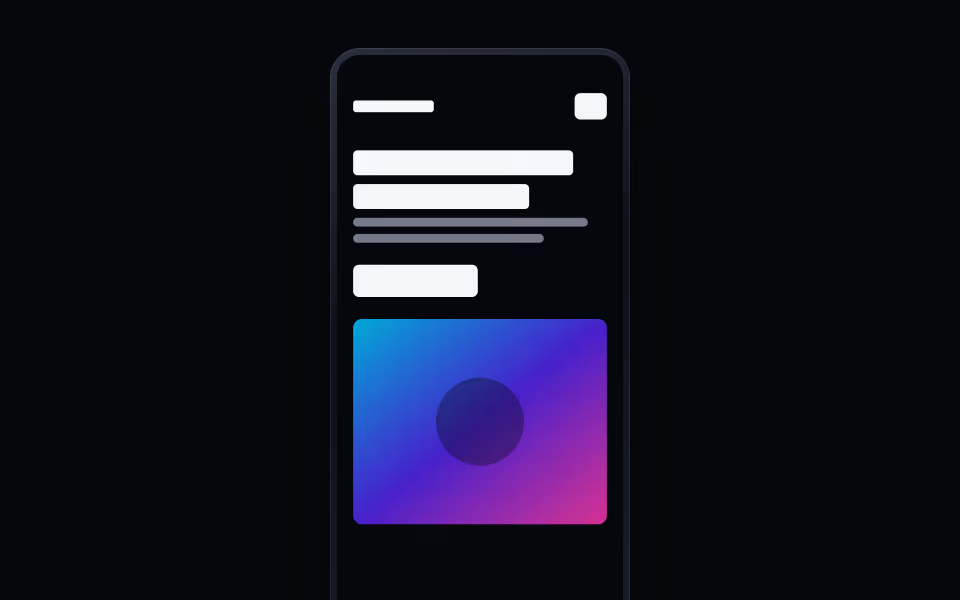
Phone Frame
FreeA phone that shows a mobile layout, scrolls through the full page, and tilts toward the cursor.
Devices · Motion
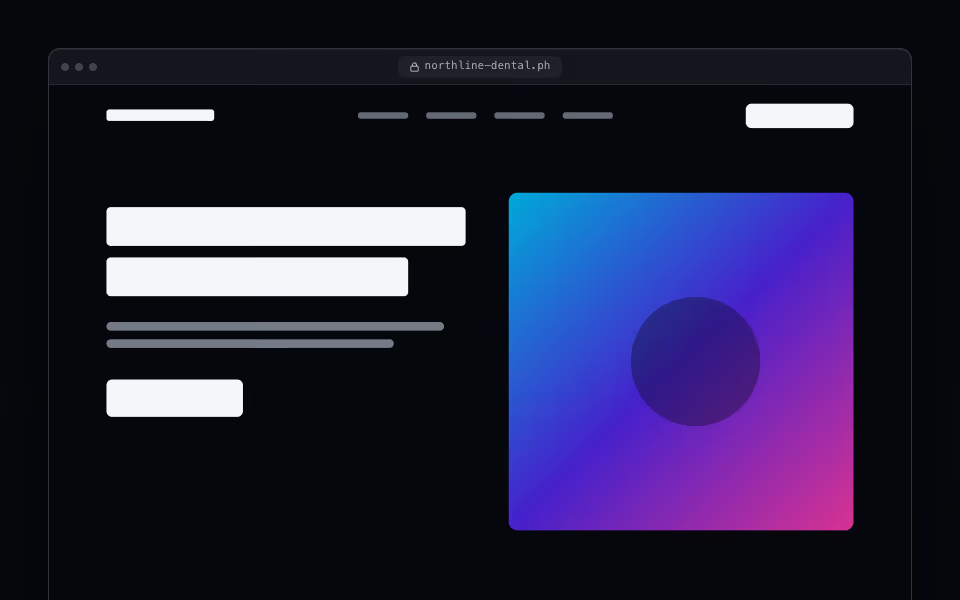
Browser Frame
FreeA browser window that frames a site and pans through the full page on hover, on focus, or on a slow loop.
Devices · Server
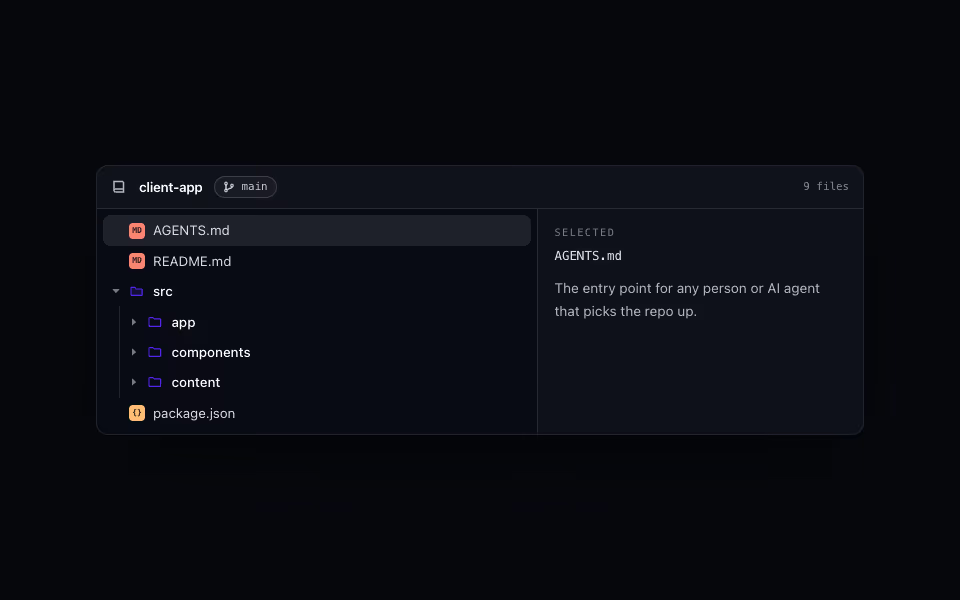
File Tree
FreeA repository as a console: branch header, a keyboard tree with indent guides, and a detail pane.
Devices · CSS